Choosing digital ad sizes used to mean memorizing a short list of banner dimensions. In 2026 it means juggling three systems at once, fixed banner units that publishers still sell, asset-based formats where the platform crops your images for you, and vertical placements where interface elements cover part of your design.
Covers verified digital ad sizes and file limits for Google Display, Demand Gen, Meta (Facebook and Instagram), & YouTube, and it marks which figures come from official documentation and which come from secondary sources.
LinkedIn, TikTok, Pinterest, Microsoft Advertising, & Amazon were not researched, so check their documentation separately. Everything below reflects what could be retrieved on October 24, 2026.
What Digital Ad Sizes Mean in 2026 (and Why No Single Size Wins)
Digital ad sizes fall into three categories, and confusing them causes most rejected uploads. Fixed-size units, such as 300×250, are built at exact pixel dimensions. Aspect-ratio formats, such as Google’s responsive ads and Meta placements, accept an image in a given ratio and crop or scale it. Video formats follow their own ratios. A requirement in one category is often only a recommendation in another, so one file rarely satisfies all three. Wherever a source separates required limits from recommendations, this guide does too.
The practical rule for choosing digital ad sizes is to start from where you buy. If you use Google’s responsive formats, supply ratios and let the platform crop. If you buy banner inventory or work with a publisher directly, supply the exact fixed-size units they list. If you run vertical placements on Meta or YouTube, design for the ratio first and then for the interface overlay.
Google Display Is Moving Into Demand Gen: What Changes for Ad Sizes
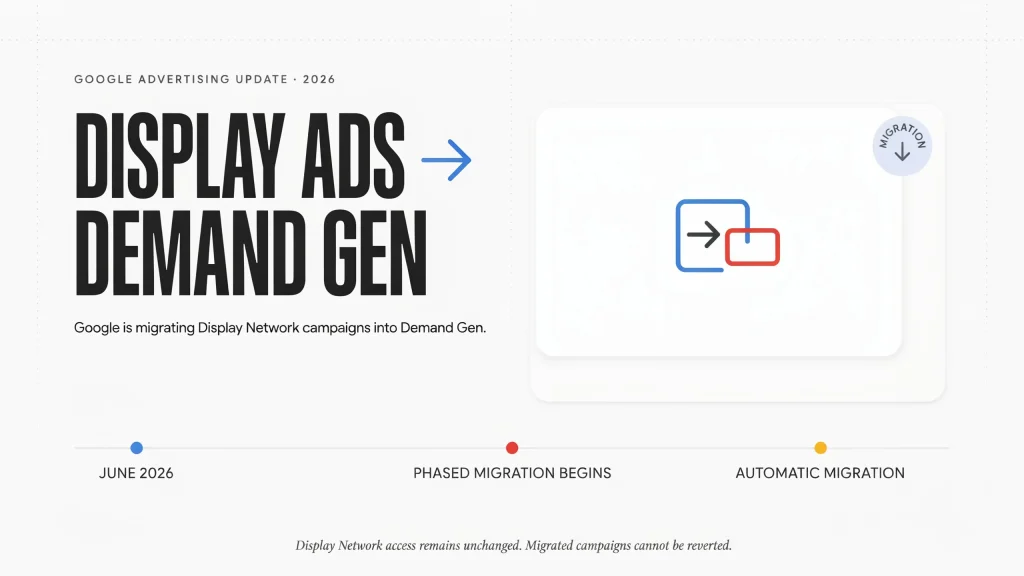
Google’s help center states that Display Ads campaigns are moving to Demand Gen as the Google Display Network. A phased migration tool began in June 2026. Later, new Display campaigns can only be created in Demand Gen, and remaining eligible campaigns will migrate automatically. Google says access to the Display Network itself stays the same, and migrated campaigns cannot be reverted. google
Two creative details matter. Responsive display ads and static uploaded image ads are supported in Demand Gen, but uploaded HTML5 ads are listed as planned for late 2026, with Google noting that timelines may change. Migration also requires a business logo, and the tool adds a placeholder if you have none. For anyone managing older accounts, expect to maintain two sets of digital ad sizes for a while.
Standard Digital Ad Sizes for Google Display Banners
Uploaded banners remain the right choice when you need pixel-level control. Google’s uploaded display ad specifications accept GIF, JPG, and PNG files up to 150 KB. Animated GIFs must run 30 seconds or less and slower than 5 frames per second. HTML5 ads are a ZIP of 600 KB or less and require account eligibility.
| Shape | Sizes (px) | Note |
|---|---|---|
| Rectangles | 300×250, 336×280 | Tend to have more inventory |
| Smaller squares | 250×250, 200×200 | More limited supply |
| Leaderboards | 728×90, 970×90, 970×250 | 970×250 is the billboard |
| Skyscrapers | 160×600, 120×600, 300×600, 300×1050 | 300×600 is a fast-growing size |
| Mobile | 320×50, 300×50, 320×100 | Phone banners Guide to display ad sizes +4 |
Google’s Authorized Buyers size guide says four digital ad sizes (300×250, 336×280, 728×90, and 160×600) tend to have more inventory, and calls 300×600 one of the fastest-growing sizes by impressions. The page is undated, so treat that as directional.
Publishers can be stricter than the platform. The IAB’s fixed-size LEAN guidance lists maximum initial-load weights of 50 KB for 320×50 and 300×50, 150 KB for 300×250, 728×90, and 160×600, 200 KB for 970×90, and 250 KB for 970×250 and 300×1050. That is guidance, and individual sites set their own rules. iab
Image and Logo Sizes for Responsive Display Ads and Demand Gen
Responsive formats take separate assets and assemble the final ad. Google’s responsive display ad guidance and its Demand Gen image specifications give these recommended digital ad sizes, with minimums in parentheses.
| Asset | Ratio | Responsive Display | Demand Gen |
|---|---|---|---|
| Landscape image | 1.91:1 | 1200×628 (600×314) | 1200×628 (600×314) |
| Square image | 1:1 | 1200×1200 (300×300) | 1200×1200 (300×300) |
| Portrait image | 4:5 | Not listed | 960×1200 (480×600) |
| Vertical image | 9:16 | 900×1600 (600×1067) | 1080×1920 (600×1067) |
| Square logo | 1:1 | 1200×1200 (128×128) | 1200×1200 (128×128) |
| Wide logo | 4:1 | 1200×300 (512×128) | Not listed Best practices guide for responsive display ads +9 |
Responsive display images can reach 5,120 KB each, with up to 15 images across three ratios. Demand Gen allows 5 MB per image, up to 20 images per ad, and 150 KB per logo. Google’s best-practice advice, which is not mandatory, recommends against overlaying logos, text, or fake buttons on images, against collages, and against letting blank space exceed 80% of the frame. Best practices guide for responsive display ads +2
How Demand Gen Handles Vertical, Carousel, and Uploaded Display Creative
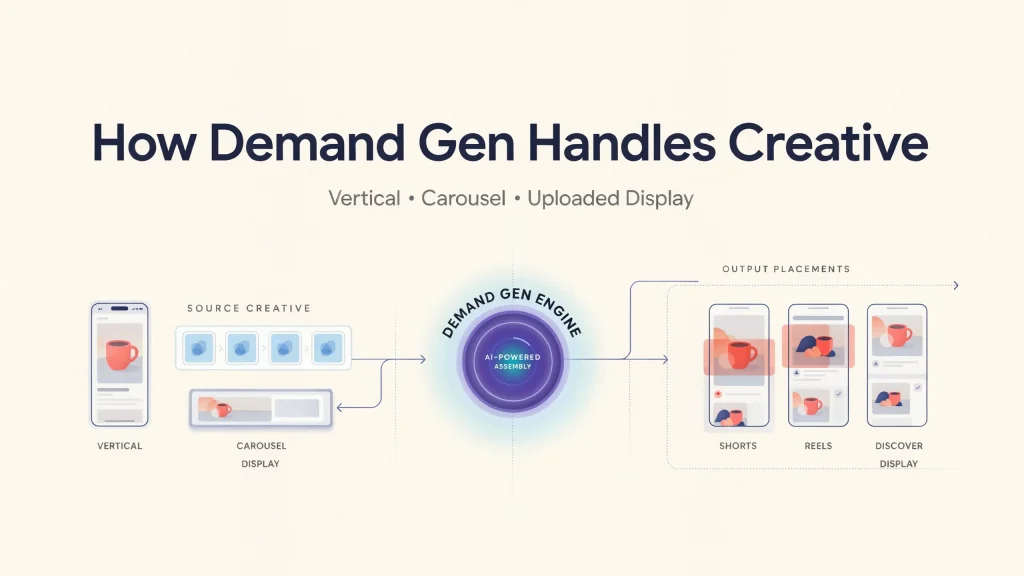
Demand Gen recommends uploading three images in each orientation for maximum placement coverage, and the 9:16 format is recommended for YouTube Shorts. Carousels take 2 to 10 cards, and the aspect ratio must stay consistent across cards. Square logos can appear as a circle on Gmail, and Google says about 21.46% of the area is cropped, roughly 5.36% at each corner.
Uploaded Display ads inside Demand Gen are narrower than their legacy version: still images only, no animation, 150 KB maximum, with recommended digital ad sizes of 300×250, 336×280, 728×90, 970×90, 160×600, 300×600, & 320×50. An animated banner that ran in a legacy Display campaign will not carry over unchanged.
Facebook and Instagram Digital Ad Sizes (Meta)
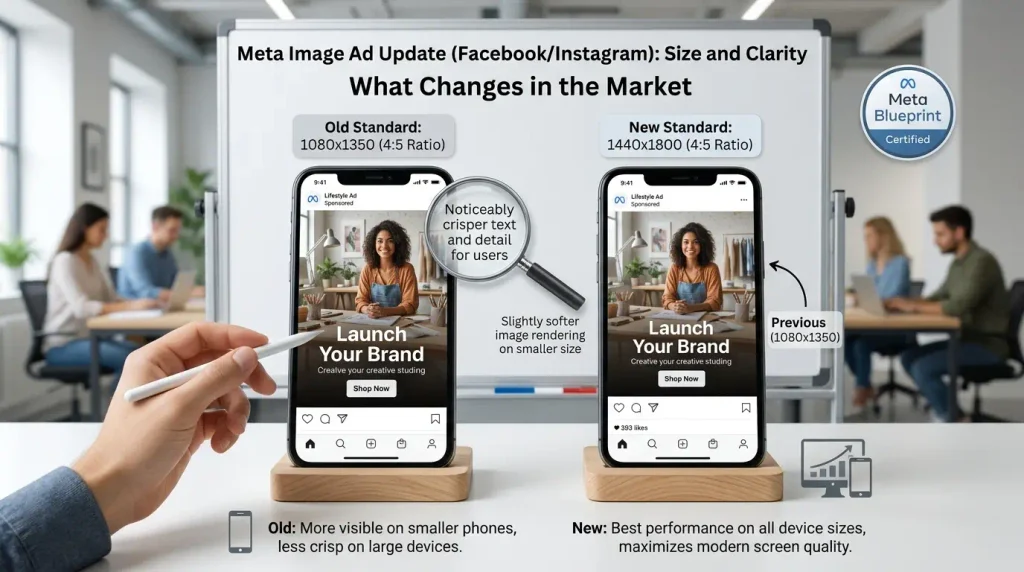
Meta’s Ads Guide for Facebook Feed image ads lists JPG or PNG, a 4:5 ratio, 1440×1800 pixels recommended, a 600-pixel minimum width, a 30 MB cap, and a 3% aspect-ratio tolerance. Primary text runs 50 to 150 characters and headlines 27. Many guides still publish 1080-pixel digital ad sizes. A 1080×1350 file shares the 4:5 ratio and clears the minimum width, so it remains workable, but Meta’s own page recommends the larger one. facebook
| Placement | Ratio | Recommended size | Source |
|---|---|---|---|
| Facebook Feed | 4:5 | 1440×1800 | Meta Ads Guide excerpt |
| Stories and Reels | 9:16 | 1440×2560 | Secondary guide citing Meta |
| Carousel cards, Marketplace, right column | 1:1 | At least 1080×1080 | Secondary guide citing Meta Awareness Image ad specs on Facebook Feed +2 |
Meta’s Ads Guide blocks automated access, so only the Feed figures were read from Meta’s own text. Confirm the other rows in Ads Manager’s preview before producing a full set.
Safe Zones for Stories and Reels: Where Your Design Gets Covered
A secondary guide quoting Meta’s Instagram Stories page says to keep roughly 14% of the top, 35% of the bottom, and 6% of each side free of text and logos. On a 1440×2560 canvas, that is about 358 px at the top, 896 px at the bottom, and 86 px per side, leaving a live area near 1,267 by 1,306 px. That arithmetic is ours, derived from the reported percentages. Google says safe zones for its 9:16 Demand Gen images resemble its vertical video safe zones, so one disciplined vertical layout can serve both networks. Vertical digital ad sizes are a layout problem as much as a pixel-dimension problem. designerboxgoogle
YouTube Ad Sizes, Thumbnails, and Companion Banners
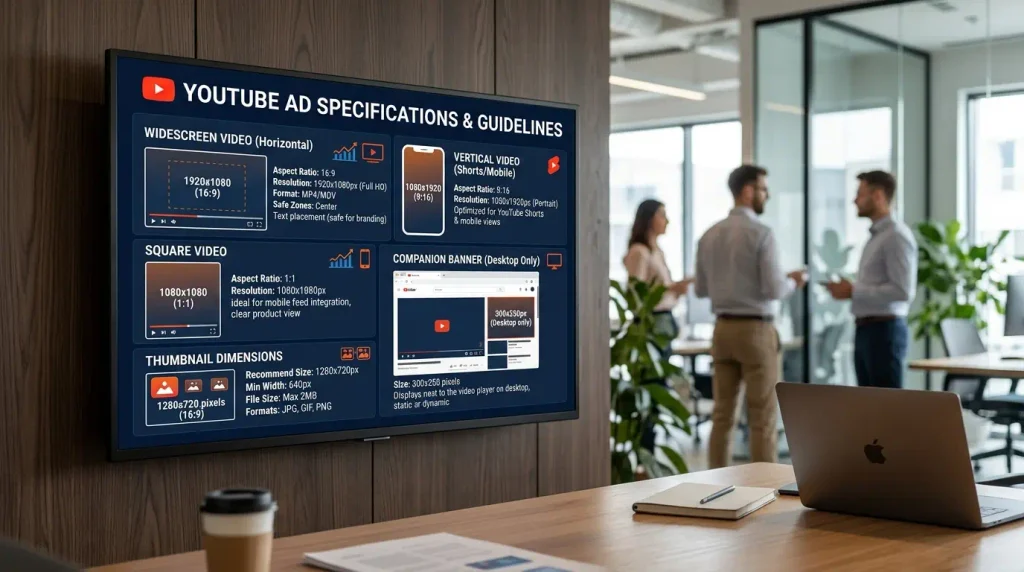
YouTube digital ad sizes center on three video ratios. Google’s video ad specifications recommend 1920×1080 for 16:9, 1080×1920 for 9:16, and 1080×1080 for square video. Recommended lengths include 15 seconds for skippable in-stream and in-feed placements and 6 seconds for bumpers. Thumbnails should be 1280×720 (minimum 1280×640) and under 2 MB. The companion banner is 300×60 in JPG, GIF, or PNG, under 150 KB, and appears on desktop only. Google can generate one from your channel banner. google
Fixing Rejected, Blurry, or Cropped Ad Creative
Most problems with digital ad sizes trace back to three causes: file weight, ratio drift, and interface overlap. The table maps common symptoms to the limits documented above.
| Symptom | Likely cause | Fix |
|---|---|---|
| Banner upload rejected | Over 150 KB, or a format outside GIF, JPG, and PNG (WebP is not on Google’s list) | Export JPG or PNG, then compress |
| Responsive ads upload but barely serve | Too little asset variety | Add video and every recommended ratio, as Google’s troubleshooting advises |
| Logo clipped in a circle | Corners cropped, about 5.36% each | Keep the mark inside a central circle |
| Story text hidden by interface | Safe zone ignored | Keep text in the live area |
| Feed image cropped unexpectedly | Ratio outside Meta’s stated 3% tolerance | Export at an exact 4:5 |
| HTML5 option unavailable | The retrieved page lists 90 days open, $9,000 lifetime spend, and good policy history | Use GIF, AMPHTML, or responsive formats support.google.com +4 |
Reducing Ad File Size Without Ruining Quality
The 150 KB ceiling is tight for almost every uploaded banner. An uncompressed 24-bit 300×250 image is 225,000 bytes, about 220 KB, and a 970×250 image is about 710 KB, so compression has to do real work.
A reproducible workflow.
- Design at the exact ad size, because resizing afterward softens text.
- Export photographic ads as JPG near quality 80 and flat-color ads as PNG.
- Check the size. If it is over the limit, lower quality in steps of five or simplify gradients.
- Inspect at 100% zoom, because text edges blur first.
- Keep the original file.
The free Compress Image tool handles JPG, PNG, and WebP, and its usage guide suggests 75% to 85% quality for photos. Because ad networks list JPG and PNG, set the output to one of those rather than WebP. The tool does not process animated images, and its width control sets a maximum, so build the exact canvas in your design software first. compressimage.
What the Evidence Says About Multi-Size Creative
Evidence on whether supplying more digital ad sizes and formats helps comes mostly from Google itself. Google reports that advertisers see about twice the conversions on average when a responsive display ad is added to an ad group containing a static display ad. An older Google Ads Help page cites 50% more conversions at a similar cost per action from using both formats, and Google’s help center describes Rakuten Travel as reaching 3X sales with responsive display ads versus standard image ads alone. optimize your display campaigns +2
What this establishes is limited. All three are Google-reported, none shows its methodology in the retrieved excerpts, and the magnitudes disagree, which suggests averages that vary by period and account. Treat them as direction, not forecasts. To test your own account, hold audience, budget, & bidding constant, change only the creative set, and run long enough to collect meaningful conversions.
A Minimum Digital Ad Sizes Kit You Can Build Once
Managing digital ad sizes does not require dozens of files. Two masters cover both Google and Meta when scaled down: 1440×1800 (4:5) scales to Google’s 960×1200 by a factor of 1.5, and 1440×2560 (9:16) scales to Google’s 1080×1920 by 0.75. Add 1200×628 and 1200×1200 for the other responsive ratios, plus 1200×1200 and 1200×300 for logos. Produce 300×250, 728×90, 160×600, 300×600, and 320×50 only where you run uploaded Display. Recheck each platform’s documentation before every campaign, because the Demand Gen migration is still in progress. For more file-size tips, browse the Compress Image blog.
Conclusion: What to Remember About Digital Ad Sizes
The big picture
- Three systems: Fixed banners, aspect-ratio formats (Google responsive, Meta), and video each have their own rules, so one file rarely fits all.
- Where you buy decides the size: Supply ratios for responsive formats, exact pixels for banners and publishers, and design for interface overlay on vertical placements.
- Google Display is moving into Demand Gen: A phased migration tool began in June 2026, new Display campaigns will only be created in Demand Gen, and HTML5 uploads are planned for late 2026. Expect to run both spec sets for a while.
Google banners and publishers
- Banner limits: Uploaded banners accept GIF, JPG, and PNG up to 150 KB. HTML5 ZIPs are capped at 600 KB.
- Core sizes: 300×250, 336×280, 728×90, and 160×600 tend to have the most inventory, and 300×600 is fast-growing. 320×50 covers mobile.
- Publisher weight rules: IAB guidance caps initial load at 50 KB for mobile banners, 150 KB for 300×250, 728×90, and 160×600, and 250 KB for 970×250.
- Animation: GIFs must run 30 seconds or less and slower than 5 frames per second. Uploaded Display inside Demand Gen is still images only.
Responsive Display and Demand Gen
- Responsive images: Use 1200×628, 1200×1200, and 900×1600, up to 5,120 KB each and 15 images.
- Demand Gen images: Use 1200×628, 1200×1200, 960×1200 (4:5), and 1080×1920 (9:16), up to 5 MB each and 20 images, with three per orientation recommended.
- Logos: Use 1200×1200 and 1200×300, with minimums of 128×128 and 512×128. Gmail’s circle crops about 21.46% of a square logo, so keep the mark centered.
- Design rules: Avoid overlaid logos, text, and fake buttons, avoid collages, and keep blank space under 80%.
Meta and YouTube
- Facebook Feed: Meta recommends 1440×1800 (4:5), JPG or PNG, 30 MB maximum, 600 px minimum width. A 1080×1350 file shares the ratio and still works. facebook
- Stories and Reels: 1440×2560 (9:16), per a secondary source. Verify in Ads Manager.
- Safe zone (reported from Meta): Keep roughly 14% top, 35% bottom, and 6% per side free. On 1440×2560, that leaves about 1,267 × 1,306 px.
- YouTube: Use 1920×1080, 1080×1920, or 1080×1080 video, 1280×720 thumbnails, and a 300×60 companion banner under 150 KB (desktop only).
Fixing problems
- Rejected upload: Check for a file over 150 KB or a non-GIF/JPG/PNG format. Export JPG or PNG, not WebP, and compress.
- File-size math: An uncompressed 300×250 image is about 220 KB, so compression is required.
- Responsive ads barely serve: Add video and every recommended ratio.
- Cropped feed image: Export at an exact 4:5.
- Compression workflow: Design at exact size, export JPG near quality 80 (PNG for flat color), lower quality in steps of five, inspect at 100% zoom, and keep the original.
Evidence and its limits
- Google reports about 2x conversions when responsive ads are added to static ads, while an older page cites 50% more. googlegoogle
- These figures are Google-reported, show no methodology, and disagree, so treat them as direction. Test your own account with fixed audience, budget, and bidding.
Your action plan
- Build two masters: 1440×1800 and 1440×2560. They scale to Google’s 960×1200 (×1.5) and 1080×1920 (×0.75).
- Add 1200×628, 1200×1200, and both logo sizes.
- Make banners (300×250, 728×90, 160×600, 300×600, 320×50) only if you run uploaded Display.
- Keep text inside safe zones and compress to the limit.
- Recheck each platform’s documentation before every campaign.
Frequently asked questions
What are the top 5 display ad sizes?
The most useful are 300×250, 728×90, 160×600, 300×600, and 320×50. Google says 300×250, 336×280, 728×90, and 160×600 tend to have more inventory, and 300×600 is one of the fastest-growing sizes
What are the best sizes for Google display ads?
For responsive display ads, use 1200×628 (1.91:1) and 1200×1200 (1:1), plus 900×1600 (9:16) for vertical. Each image can be up to 5,120 KB.
What are the 3 recommended sizes for Meta ads?
Use 4:5 (1440×1800) for feeds, 9:16 (1440×2560) for Stories and Reels, and 1:1 (at least 1080×1080) for carousels. Meta recommends 1440×1800 for Facebook Feed image ads.
What are the creative sizes for Google Ads?
It depends on the format. Responsive display and Demand Gen images use 1200×628, 1200×1200, and 9:16 (Demand Gen also takes 960×1200 at 4:5). Uploaded banners include 300×250, 728×90, 160×600, and 320×50, up to 150 KB. YouTube video uses 1920×1080 (16:9), 1080×1920 (9:16), or 1080×1080 (1:1)
Is $1,000 enough for Facebook ads?
It’s enough to test, but often not enough to optimize for purchases. Meta’s digital ad sizes sets generally need about 50 optimization events a week to exit the learning phase, so at a $25 cost per purchase you’d need roughly $179 a day. For smaller budgets, optimize for a higher-volume event like Add to Cart.